Short answer: if you like how Screen Studio videos look but not paying $108 a year or $29 a month for them, ScreenTell gives you the core of that look for free: auto zoom, a smooth cursor, wallpapers and camera layouts. Screen Studio is still ahead on captions and transcript editing, and ScreenTell's share links are still on the way.
What you get without paying
- Auto zoom. Zooms are placed where you click while you record, and you can move, resize or delete any of them on the timeline. How auto zoom works.
- A smooth, bigger cursor with optional motion blur on the cursor and on zoom pans.
- Backgrounds. Wallpapers, padding, rounded corners and shadow, saved as reusable looks.
- Camera. A bubble (circle, rounded or rectangle, in any corner), split screen or full camera, with face touch-up, background blur or removal, and a bubble that hides while you're quiet. Camera features.
- Tracked blur and highlight. Draw a box over an email or account number, press Track, and the blur follows it as the page scrolls. Blur and highlight.
- On-screen keys as dark or light keycaps, with optional key sounds. Keystroke display.
- Per-clip speed from 1.5× to 8× for the slow parts, camera included.
- Every shape and format. 16:9, 1:1 and 9:16 with follow-pointer cropping; MP4 at 720p, 1080p or 4K at 30 or 60 fps; GIF at 480p or 720p. Vertical video, GIF export.
- Private by default. No account to record, and nothing leaves your Mac unless you choose to share it. Recordings save to
~/Movies/ScreenTell.
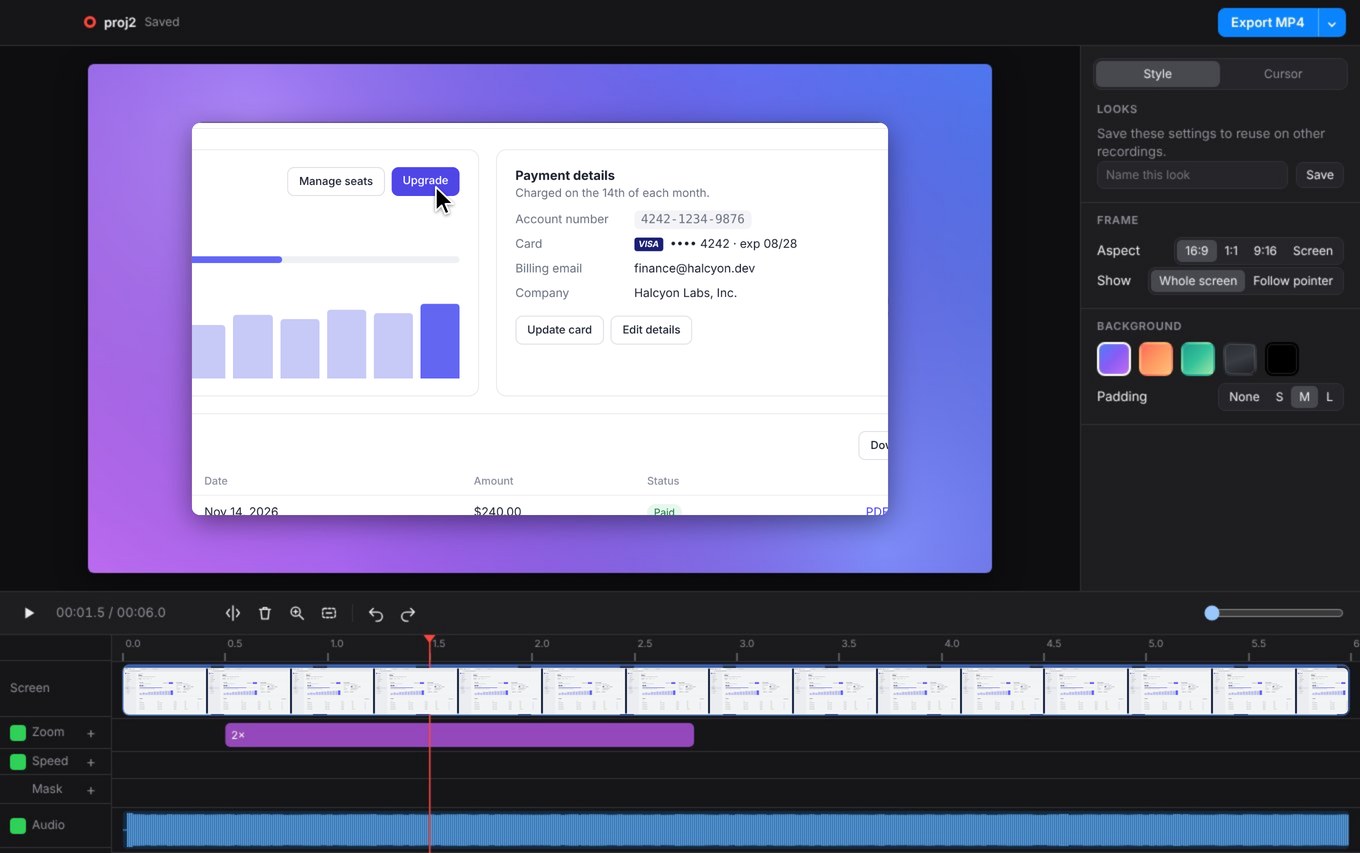
ScreenTell and Screen Studio side by side
| ScreenTell | Screen Studio | |
|---|---|---|
| Price | App free, no watermark; optional Share plan $4/month for hosted links (coming soon) | $9/month billed yearly ($108) or $29 monthly; exporting needs a paid plan |
| Platforms | macOS now, Windows next | macOS only (13.1 or later) |
| Account needed | Only to share links | Licence required to export |
| Auto zoom on clicks | Yes | Yes |
| Smooth cursor and motion blur | Yes | Yes |
| Camera bubble, split and full layouts | Yes | Yes |
| Camera background blur or removal | Yes | Cutout camera layout |
| Blur that tracks moving content | Yes | — |
| On-screen keystrokes | Yes, with optional key sounds | Yes |
| 16:9, 1:1 and 9:16 | Yes | Yes |
| Export | MP4 up to 4K 60 fps, GIF | MP4 and GIF |
| Captions and transcript editing | No | Yes |
| Share links | Coming soon, with the Share plan at $4/month | Yes (optional cloud) |
Screen Studio details from Screen Studio's website and a Screen Studio pricing summary from Trainn. Checked 28 November 2026. A dash means we couldn't confirm it either way.
When Screen Studio is still the better pick
Be honest with yourself about what you use. Stay with Screen Studio if you rely on auto captions, edit by deleting words from a transcript, or need to send people a link today. ScreenTell doesn't do captions or transcripts, and its share links are still on the way. Screen Studio has also had years of polish, and its team ships often.
Pick ScreenTell if you mostly record product demos, tutorials and bug reports, export a file, and drop it into Slack, a doc, a pull request or a social post. That's the job it's built for.
Other free alternatives worth knowing
Cap is open source, runs on Mac, Windows and Linux, and is free for personal use, with a paid licence for commercial work. It's the pick if you want share links. There are also several small open-source projects on GitHub that copy Screen Studio's auto zoom. They're worth a look if you like to tinker. ScreenTell focuses on the parts those projects tend to skip: camera effects, blur that tracks moving text, keystrokes and saved looks.
Switching takes five minutes
- Download ScreenTell and allow Screen Recording (and Camera and Microphone, if you use them) in System Settings, under Privacy & Security.
- Record from the menu bar. Pick a screen or a window, turn your camera on or off, and go.
- Stop, and the editor opens with zooms placed. Pick a wallpaper and padding, then save it as a look so every future recording starts that way.
Questions
Is ScreenTell really free?
Yes. Recording, editing and exporting are free, with no watermark. You only pay if you want hosted share links, which come with the Share plan at $4 a month.
Can ScreenTell open my Screen Studio projects?
No. Screen Studio project files only open in Screen Studio. Your exported videos are ordinary MP4 files and stay as they are.
Does ScreenTell work on Windows?
Not yet. ScreenTell is macOS first, and Windows is next. Screen Studio has said it has no Windows plans.
Do my recordings leave my Mac?
No. ScreenTell records, edits and exports on your Mac. Nothing is uploaded unless you share the file yourself.