GIFs autoplay everywhere: GitHub, Notion, Linear, Jira, README files and email. They're the quickest way to show a UI change in a pull request. They're also usually ugly: tiny, jittery and unreadable. ScreenTell makes GIFs from the same polished timeline as its videos, so zooms and the smooth cursor come along.
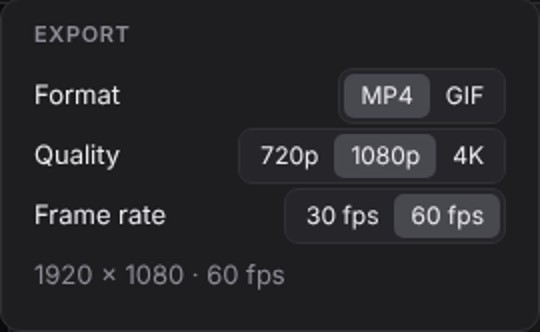
Export options
- GIF at 480p or 720p.
- MP4 at 720p, 1080p or 4K, at 30 or 60 fps.
- Any shape: 16:9, 1:1, 9:16 or your screen's own.
- Copy to clipboard after export, then paste into Slack, a PR or a doc.
Keep GIFs small
- Trim to the 5–15 seconds that show the change.
- Speed up waits and typing with per-clip speed.
- Pick 480p for inline docs, 720p when text needs to be read.
Step-by-step: how to turn a screen recording into a GIF for a pull request.
Questions
GIF or MP4 for GitHub?
GitHub accepts both. GIFs autoplay inline and loop; MP4 files are smaller and sharper but show a player. Use GIF for short UI changes and MP4 for anything over about 15 seconds.
Is there a watermark?
No. ScreenTell exports have no watermark.